
![[NEW YEAR SPECIAL] Free Mystery Gift](http://minitorx.com/cdn/shop/files/SEASONBRIXX_3.png?v=1765547038&width=500)


MinitorX
MinitorX
🔥 Prevent FPS drops
💻 Keeps your PC healthy
✨ Upgrades & elevates your setup
⚡ Fits Every Case (8.5 x 2.1 Inches)
Choose Version
![[FREE GIFT] Premium Installation Kit](http://minitorx.com/cdn/shop/files/67ff19f4-6d10-4806-b701-8df5ca2768b0_1.png?v=1764562776&width=500)
[FREE GIFT] Premium Installation Kit
Only 5 left!
Couldn't load pickup availability
What's inside the box?
What's inside the box?
Your order contains:
- MinitorX Cable Kit
- MinitorX Installation Kit
- MinitorX Screen
Free Shipping
Free Shipping
Every order containing a MinitorX automatically qualifies for free shipping.

MinitorX
See your PC Stats at all Times while elevating your setup!
-

Installed it in minutes and now I can see temps and performance right inside my case. The crisp display and animations make my setup look way better.
-

The screen fits perfectly and gives me instant system stats without opening any software. My PC has never looked this clean and futuristic.
-

I love how it shows load and temperature at a glance, so I can catch issues early. The visuals and high resolution make my rig look brand new.


As Seen On:


Your PC Is Dying — And You Can’t See It.
Most PCs lose performance because they run hotter and under more load than they should — long before users notice a problem.
Minitor X makes those warning signs visible by showing real-time temperatures and system load on a dedicated, always-on display.
You can instantly see when components are being pushed too far and react before crashes, stutters, or performance drops happen.
Instead of guessing or replacing parts too early, you get more stable performance and more life out of the hardware you already own.

FPS drops? - Find out why.
MinitorX shows exactly which part of your system is under stress — temperatures, system load, and spikes in real time.
You can react instantly instead of guessing, keeping your system stable when performance starts to drop.
It gives you clear visibility into what’s happening inside your PC, right when issues begin — not after they ruin your session.
By making problems visible early, Minitor X helps you avoid unnecessary stutters, crashes, and performance loss.

Easy Installation - Fits EVERY Case
With a width of 8.53 inches and a height of 2.14 inches, this slim display fits easily into any PC layout without getting in the way.
The included installation kit makes setup quick, clean, and secure — no complicated mounting required.
Whether on your PSU shroud, next to your GPU, behind tempered glass, or tucked along the case edge, its low-profile design lets you place it nearly anywhere.
Your imagination sets the limits, not your build.
Unlimited Customization
MinitorX offers a variety of templates and a flexible layout system that make personalization effortless. Display real-time stats, temperatures, animations, or your own logos - turning your PC into a clean, stylish dashboard that fits your setup perfectly.


What Our Customers Say:
Excellent 4.9 / 5
-
Gamechanger
I mounted it in minutes and watched my whole setup come alive. Seeing temps and performance right inside the case feels futuristic. I used to guess when my PC was running hot — now I can spot it instantly and avoid headaches later. The screen looks insanely crisp, and the little animated videos make my build look custom-modded without any effort. It stays in my rig for good and saves me worrying about damage.

-
Better than expected
Didn’t expect it to make such a difference. I just plugged it in, and suddenly I had live system stats right in front of me. I used to keep extra tools open on my monitor, but now the case screen shows everything at a glance — temps, load, the whole package. The resolution is so sharp it almost looks unreal, and the black version blends perfectly with my build. My PC finally looks as good as it performs.

-
PC Warrior
I’ve tried a bunch of “PC accessories,” but nothing ever felt this satisfying. I set it up, picked an animation, and immediately the inside of my case looked like a high-end showcase build. Plus, getting instant feedback on CPU and GPU temps helps me catch issues before they turn into problems. I used to ignore system monitoring — now it’s part of the fun. It makes the whole setup feel new again and keeps me from unnecessary upgrades.


Over 16.000 Gamers Trust MinitorX
89%
Said that Minitor X instantly upgraded the look of their entire PC setup.
91%
Noticed that their PC felt smoother and temps were easier to monitor
94%
Would recommend Minitor X to others.
Results are from customer surveys made 3 months after ordering.
Frequently asked Questions
Can I use my own images, themes, or GIFs?
Can I use my own images, themes, or GIFs?
Yes — and that’s just the beginning. The entire display is fully customizable. Every widget, every layout, every visual element can be adjusted, rearranged, or redesigned to fit your exact style. From minimalist system dashboards to wild animated setups, the customization options are essentially limitless. If you can imagine it, you can make the display show it.
Does the display really fit every PC case?
Does the display really fit every PC case?
The screen is extremely compact (2.14 inches in height) and designed to fit into virtually any modern PC case. ATX, Micro-ATX, Mini-ITX, compact builds—if your case has even a bit of free surface area, it will fit.
How is the display mounted?
How is the display mounted?
The included installation kit makes mounting simple and secure. You can place it on the PSU shroud, near the GPU, on the radiator, behind tempered glass, or along the case wall—no drilling, no modding required.
What can the display show?
What can the display show?
Temperatures, usage levels, clock speeds, network stats, fan speeds, system info, GIFs, images, custom themes—pretty much anything you want - with our Software the customization options are endless too!
Is the display compatible with my hardware?
Is the display compatible with my hardware?
If you’re using Windows, compatibility is guaranteed. The software pulls standard sensor data from your CPU, GPU, and other components.
How do I connect MinitorX to my PC?
How do I connect MinitorX to my PC?
With a single USB cable. No additional power supply, no special connectors—plug and view.
Does the display affect temperatures or airflow?
Does the display affect temperatures or airflow?
Its slim profile has minimal impact. As long as it’s not blocking a fan directly, airflow remains unchanged.
Can I use the display outside of the PC case?
Can I use the display outside of the PC case?
Yes. It works perfectly as a small desktop info monitor too—on your desk, under the monitor, or wherever you prefer.
How bright is the screen?
How bright is the screen?
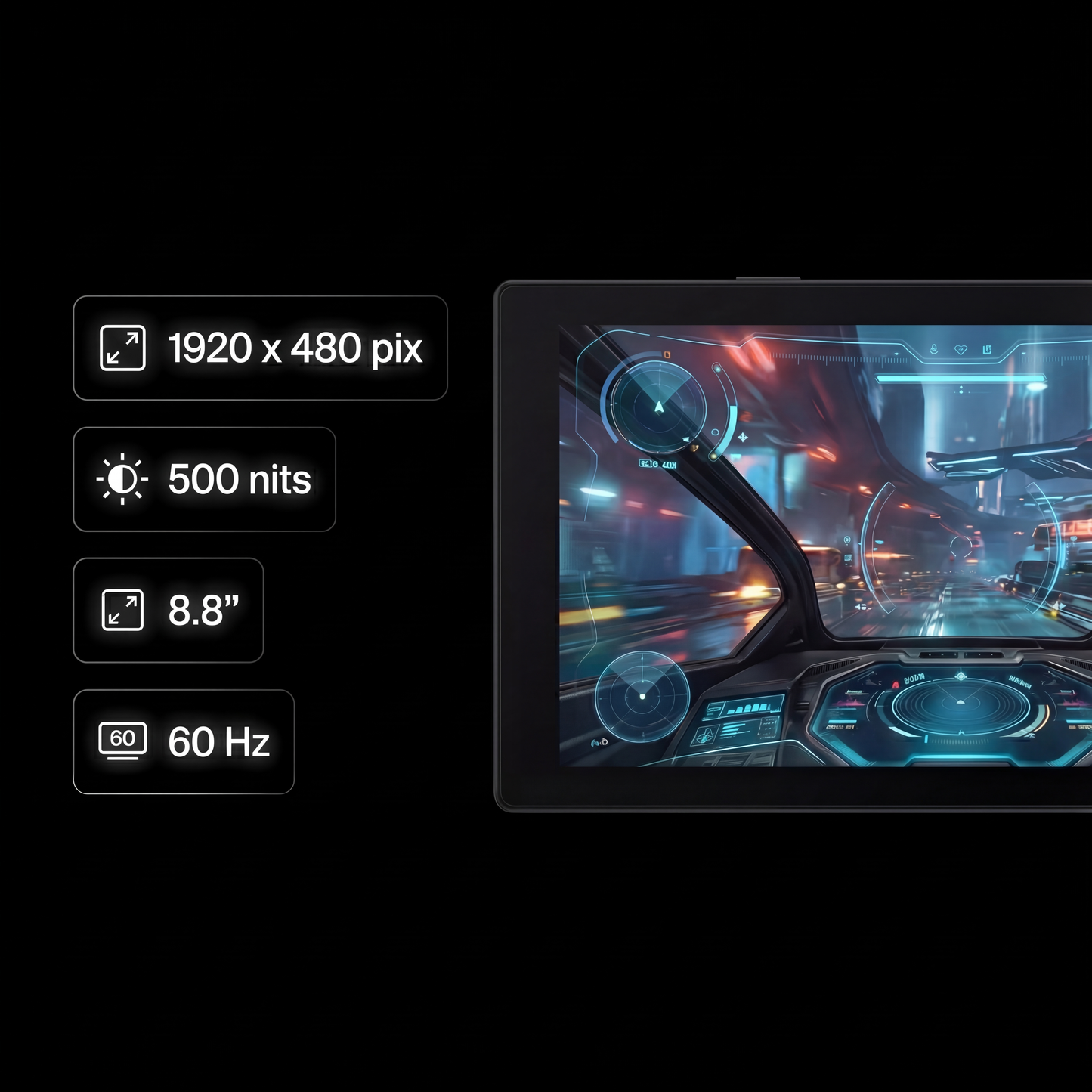
Bright enough to be fully visible through tinted glass, but not so intense that it lights up the room at night.
Order Now with a 90-Day Money-Back Guarantee
We’re so confident you’ll love your Minitor X that we offer a full 90-day money-back guarantee on every order